
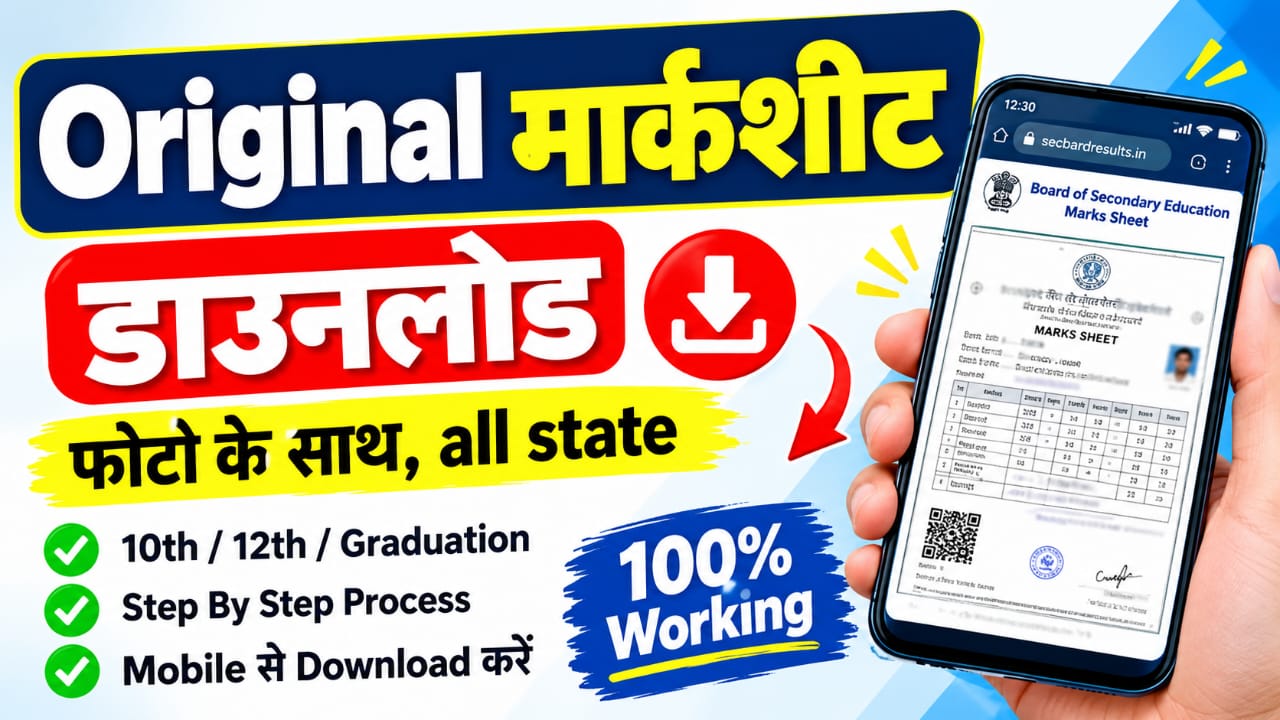
Hello doston is artical mein aapko Original Marksheet kaise download Karen
Online app mobile ke through main batane wala hun ki aap Marksheet 10th,12th
ke kaise download kar sakte hain.
Original Marksheet Download Karne Ke Liye Kya Chahiye?
aapko 3-4 cheezein chahiye:
1.Roll Number / Hall Ticket Number:
Ye sabse zaroori hai. Aapke 10th ke admit card par jo number hai. Agar hall ticket
nahi hai to Memo No. / Certificate No. bhi chalega.
2.Year of Passing-
Aapne kaun se saal me 10th pass kiya hai, jaise 2020, 2022, 2024.3.
3.Date of Birth:
Verification ke liye DOB match hona chahiye.
4.Board ka Naam-
UP Board, CBSE, Bihar Board etc.
Kahan se download hogi
DigiLocker Se Original Marksheet Kaise Download Kare-
sabse pahle apne mobile mein Google Play Store open karein aur DigiLocker App
search karke install kar lein. Is app ki madad se aap apni 10th aur 12th ki marksheet
online download kar sakte hain.

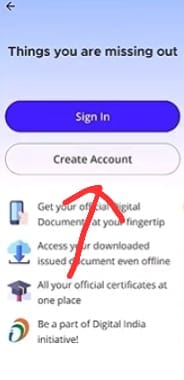
Create Account-
Pehli baar DigiLocker App use kar rahe hain, to Create Account par click karein. Agar
aapka account pehle se bana hua hai, to Sign In option par click karke login kar lein.
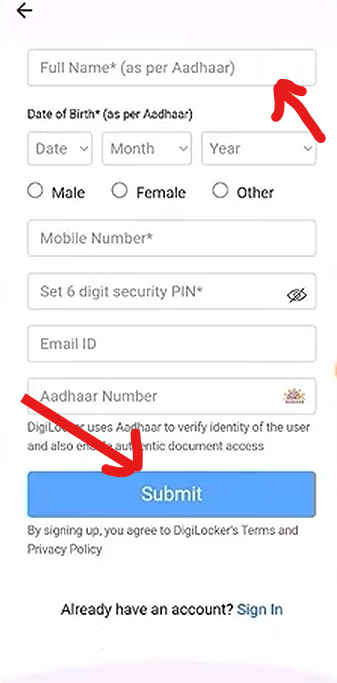
Fill details-
Sabse pehle aapko apna full name, date of birth, gender (Male/Female), mobile number,
six-digit PIN, email ID aur Aadhaar number bharna hoga. Iske baad sabhi details ko achhe se
check kar lein aur registration process complete karne ke liye Submit button par click karein.
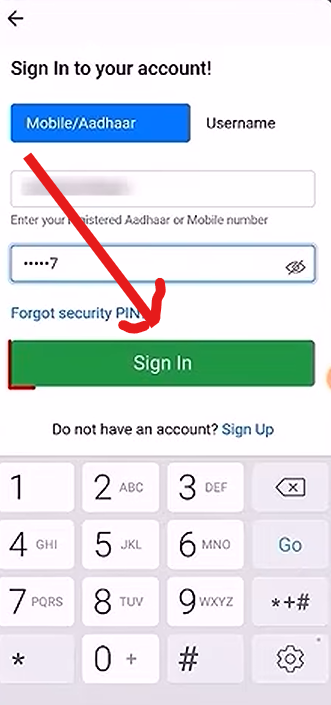
Sign In to your account-
Enter your Registered Aadhaar or Mobile number Aur Apna PIN enter kar aur login kare.
Search for Documents on DigiLocker
Login hone ke baad aapko Search for Documents option par click karna hai. Iske baad apne
State Board ya Education Board ka naam search karein aur sahi board select karne ke liye us par click karein.
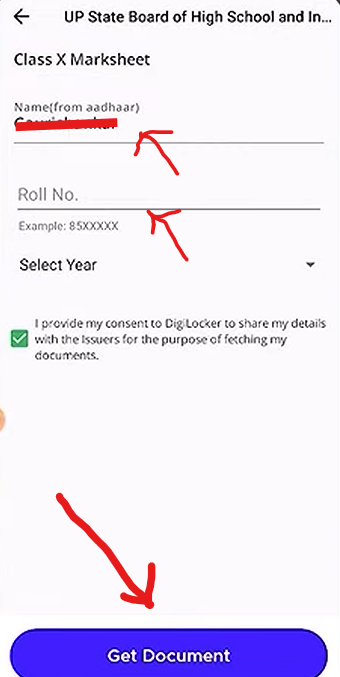
Get Document Par Click Karein-
Sabse pehle Aadhaar mein diya gaya apna naam aur roll number darj karein. Iske baad
I Agree ke checkbox par click karein aur original marksheet download karne ke liye
Get Document button par click karein.
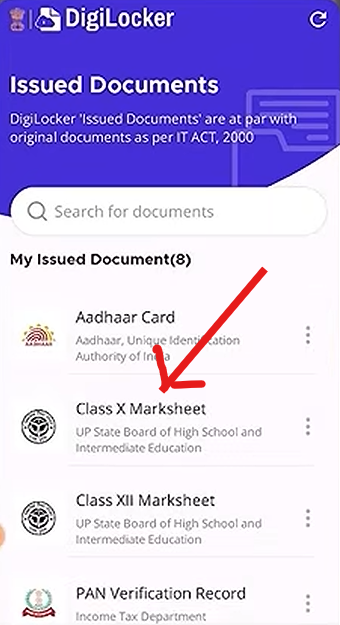
DigiLocker Mein Class 10th ke Marksheet save-
Ab aapko DigiLocker mein Class X Marksheet par click karna hai. Yahan aapki 10th ki
marksheet permanently save ho chuki hai. Ab aap jab chahein, tab apni marksheet ko
open ya download kar sakte hain.
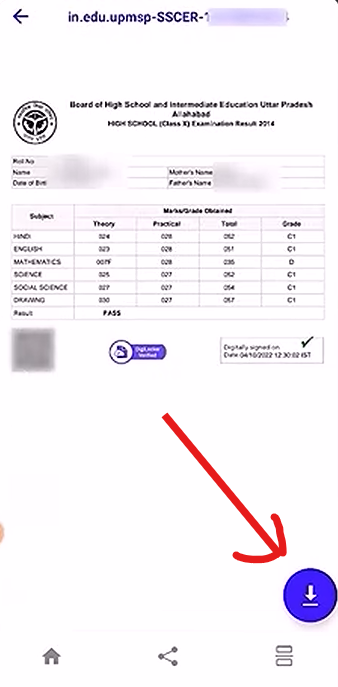
UP Board Original Marksheet Download Ho Chuki Hai
dekh sakte hain ki UP Board ki 10th marksheet DigiLocker mein download
ho chuki hai. Aap is marksheet ko zarurat padne par kabhi bhi open ya download kar sakte hain.
Ismein digital signature aur valid barcode jaise verification features available hote hain,
jinki madad se marksheet ki authenticity verify ki ja sakti hai.
DigiLocker Se Sabhi Documents Free Mein Download Karein-
Doston, is tarah aap DigiLocker se apni marksheet, school certificate, college certificate aur
degree jaise available documents free mein download kar sakte hain. Iske liye aapko koi charges
dene ki zarurat nahi hai. Aap in documents ko apne mobile phone mein save karke zarurat padne
par kabhi bhi open kar sakte hain.
Marksheet download karne ke liye kya-kya document chaye-
Zaroori Jankari-Roll Number / Hall Ticket NumberPassing YearDate of Birth2.
DigiLocker ke liye:-Aadhaar Card (Mobile Number linked hona chahiye)Aadhaar se link Mobile par OTP aayega
App Download direct link-
| app direct link | click here |
| join telegram link | click here |
information news ,government news ,government scheme ,loan scheme ,ke liye join telegram channel now
FAQ-
Q1.Is a DigiLocker marksheet valid like an original marksheet?
Ans.DigiLocker-issued digital marksheets may be legally valid like original documents under applicable government rules. Make sure your marksheet is available in the Issued Documents section.
Q2.How to download a Class 10 marksheet from DigiLocker?
Ans.First, log in to the DigiLocker app or website. Go to the Education section, select your education board and Class X Marksheet, enter the required details, and click on Get Document.
Q3.Can I download my original UP Board marksheet from DigiLocker?
Ans.Yes, if your UP Board marksheet is available on DigiLocker, you can access it and download it to your mobile phone.
Q4.Is it free to download a marksheet from DigiLocker?
Ans.Yes, accessing and downloading available documents from DigiLocker is generally free. You do not need to pay any additional charges.
Q5.Can I download college degrees and school certificates from DigiLocker?
Ans.Yes, you can access school certificates, college degrees, marksheets, and other educational documents if they are available on DigiLocker. Availability depends on the respective board, university, or institution.
Janam Praman Patra Kaise Banaye Online 2026
How to Link Aadhar Card to Bank Account|NPCI+DBT Link Online 2026|
1 thought on “Original Marksheet kaise Download kare?”